Squish Merge, in your browser
A fruit merge game, played with numbers
Two blobs with the same number merge into one with double the number. No fruit in the jar, just 1, 2, 4, 8 and up.
About 22 MB
on the first load
- 1 Press a blob, pull down, let go
- 2 Same numbers merge into double
- 3 Both side pressers pressed in: run over
Three rules
That is the whole game. Each card opens the matching part of the how-to page.
-
Press, pull, release
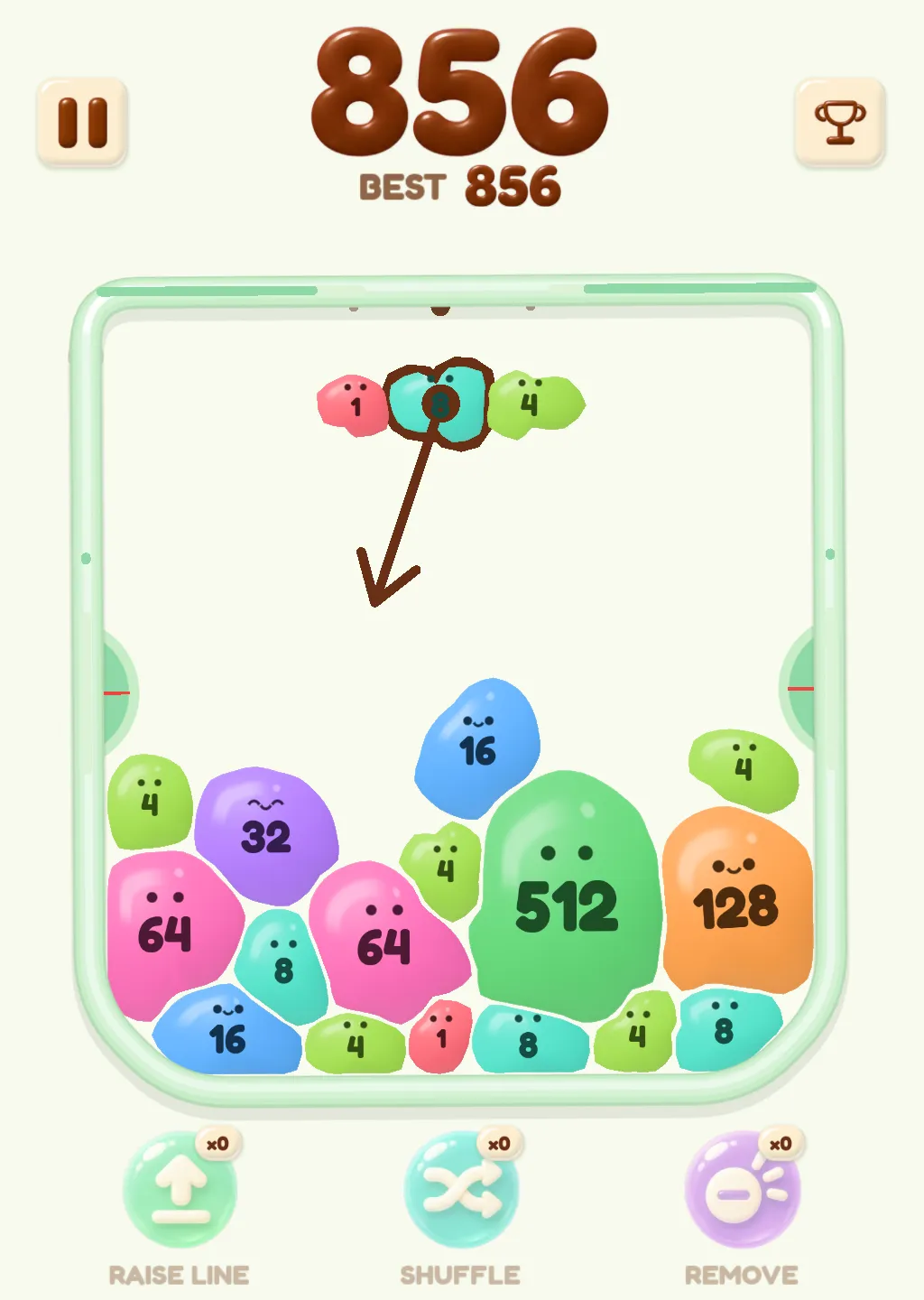
A row of blobs waits above the jar. Press one and hold it, pull down to aim, release to launch. Changed your mind? Drag back to cancel.
How launching works → -
Same numbers merge
When two blobs with the same number touch, they become one blob with the number doubled. Every merge adds points, and merges in a row bring up COMBO.
How merging works → -
Both pressers in, run over
Each side of the jar has a green half-circle presser with a red tick. When the pile has pressed both of them all the way in, the run ends.
How a run ends →
Fruit merge, without the fruit
Fruit merge games, sometimes called merge fruit games, share one idea: two matching pieces touch and become one bigger piece. Squish Merge keeps the idea and leaves the fruit out. There is no cherry, grape or melon in the jar. Every blob carries a number, and two of the same number make the next one up. If you came here for the watermelon game or the suika game, the merging will feel familiar within a launch or two.
The blobs are soft jelly with a shine on top, and each has a pair of eyes and a mouth. Crowd them together and they squash into odd shapes. Every number has its own color, so you can read the jar at a glance: 4 is lime green, 8 teal, 16 blue, 32 purple, 64 pink, 128 orange.
Play fruit merge online
To play fruit merge online, press Play. The game opens right here in your browser, with nothing to install and no account to make. It is free to play, and there is no timer and no countdown during a run.
The first time you press Play, the browser loads about 22 MB, which is why nothing starts until you ask for it. Use the mouse the way you would use a finger on a phone: press, hold, pull down, let go.
If you would rather have the game on a page of its own, the Play button in the header opens it there. It is the same fruit merge game online, with just the jar and a few links underneath.
Keep going
Three more pages, for before or after a run.
Questions
Is there any fruit in it?
No. The jar holds jelly blobs with numbers on them. The name comes from the kind of game it is: two matching pieces merge into a bigger one. If you like the idea of jelly fruit merge, the soft, squashy blobs are the part you will recognize.
Is this the watermelon game or suika game?
Not the same game. The idea of merging two matching pieces will feel familiar if you have played the watermelon game, also called the suika game, but this is Squish Merge with its own blobs, its own jar and its own rules. It is not affiliated with Aladdin X or Suika Game.
Is it free, and do I need to download anything?
It is free, and there is nothing to install. Press Play and the game loads in your browser. The first load is about 22 MB.
Does it work on a phone?
Yes. It runs in the browser, and the game is a tall screen that suits a phone. You press and hold with your finger. On a computer, press and hold with the mouse.
Why do the numbers double?
Because that is what a merge does. Two blobs with the same number become one blob with the number doubled: two 2s make a 4, two 4s make an 8, and so on up the line. That is why you want matching numbers next to each other.
Is there a timer?
No. There is no timer and no countdown, and no revive. A run lasts until the pile has pressed both pressers all the way in. There are also no ads while a run is going.